
What Is a WebTrader Platform? | ZenithFX
Understanding the Modern Way to Trade Forex
If you have ever wanted to trade forex but felt put off by complicated software installations or compatibility issues, a WebTrader platform might be exactly what you need. A WebTrader is a browser-based trading platform that lets you access the financial markets directly from your internet browser, with no downloads or installations required. It works on any device that has a modern browser and an internet connection, making it one of the most accessible ways to start trading currencies today. Whether you are a complete beginner or an experienced trader who switches between devices, understanding what a WebTrader platform offers can help you make smarter decisions about how and where you trade.
What Exactly Is a WebTrader Platform?
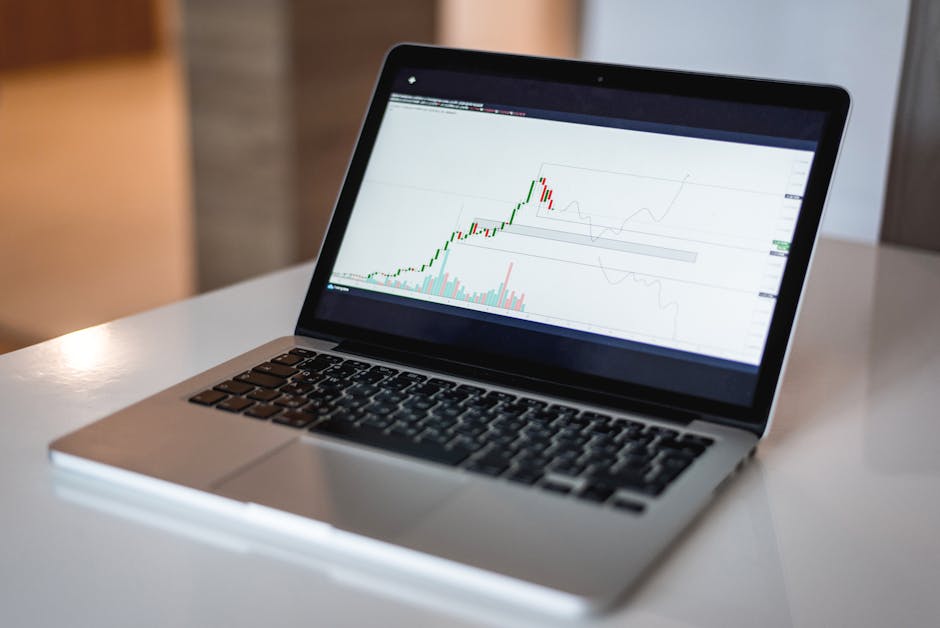
A WebTrader platform is a trading application that runs entirely within your web browser. Instead of downloading dedicated software onto your computer, you simply log in through a website and access all the trading tools you need from there. Everything from live price charts and order management to account history and market analysis is available within the browser window itself.
This is different from desktop trading software, which must be installed on a specific computer and is only available on that machine. With a WebTrader, your account and all its settings are stored on the provider’s servers. This means you can log in from your home computer, your work laptop, or even a public library computer and see the same account with the same settings every time. The experience travels with you, not with a single device.
Most WebTrader platforms are built using modern web technologies that allow them to update prices in real time, process orders instantly, and display interactive charts that respond to your inputs. From a functional standpoint, a well-built WebTrader can offer nearly everything a desktop platform provides, all without requiring any installation.
Key Features You Will Find on a WebTrader
A quality WebTrader platform comes equipped with a range of tools designed to support your trading decisions. Live price quotes, often called streaming quotes, update constantly so you can always see the current bid and ask prices for the currency pairs you follow. Alongside these quotes, you will typically find interactive price charts that let you switch between different time frames and apply a variety of technical indicators.
Order management is another central feature. You can place market orders, which execute immediately at the current price, or pending orders, which only trigger when the price reaches a level you specify. Stop-loss and take-profit settings are usually available directly within the order ticket, helping you define your risk before a trade is confirmed.
Most WebTrader platforms also include an account summary section where you can monitor your open trades, review your trade history, and check your available margin. Some platforms go further, offering built-in economic calendars, news feeds, and basic risk calculators. These tools are all accessible without ever leaving the browser window.
How a WebTrader Compares to Desktop and Mobile Apps
Traders today have several platform options to choose from, and each format has its own strengths. Desktop trading software, such as the widely used MetaTrader 4 or MetaTrader 5, tends to offer deep customisation, support for automated trading scripts, and extensive back-testing tools. For traders who rely heavily on custom indicators or automated strategies, a desktop platform may still be the preferred choice.
Mobile trading apps are built for convenience on the go. They are optimised for touchscreens and smaller displays, making it easy to check positions and place quick trades from your phone. However, mobile screens can feel cramped when doing detailed chart analysis or managing multiple trades at once.
A WebTrader sits comfortably between these two options. It offers a more complete feature set than most mobile apps and is far more accessible than desktop software, since there is nothing to install or update manually. For traders who value flexibility and simplicity without sacrificing essential tools, a WebTrader is often the most practical everyday choice.
Why Accessibility Makes a Real Difference
One of the most important practical advantages of a WebTrader is that it removes technical barriers to trading. You do not need administrator rights on a computer to install software. You do not need to worry about whether a platform is compatible with your operating system. If your browser is up to date and your internet connection is stable, you can trade.
This accessibility matters especially for newer traders who are still learning the basics. Starting out can feel overwhelming enough without dealing with installation problems or configuration files. A WebTrader lets you focus your energy on learning about currency pairs, reading charts, and managing your first demo trades, rather than troubleshooting software.
It is also worth noting that WebTrader platforms are regularly updated by the provider’s technical team. Because the software runs on their servers rather than your device, improvements and security patches are applied automatically. You always have access to the latest version without doing anything yourself.
Important Considerations Before You Start
While WebTrader platforms offer real convenience, there are a few things worth keeping in mind. Since the platform runs inside a browser, a stable internet connection is essential. A slow or unreliable connection could delay price updates or order execution, which matters when markets are moving quickly. Most traders using a WebTrader make sure they have a reliable connection before trading during high-volatility events like major economic announcements.
Browser security is also worth considering. Avoid logging into your trading account on shared or public computers where your login details could be at risk. Reputable platforms use encrypted connections to protect your data, but good personal security habits remain important regardless of how secure the platform itself may be.
Finally, take time to explore the specific tools and order types your WebTrader offers before trading with real money. Not every platform is identical, and understanding how to place, modify, and close orders correctly will help you avoid costly mistakes. Practising on a demo account first is always a sensible step, no matter how experienced you are.
Start Exploring with a Free Demo Account
A WebTrader platform represents one of the most straightforward ways to access the forex market today. Its browser-based design means you can trade from virtually anywhere, while its built-in tools give you the charts, order management, and account information you need to trade with confidence. For beginners especially, removing the friction of software installation can make a genuine difference in getting started on the right foot.
The best way to understand what a WebTrader can do for you is to try one yourself. At ZenithFX.com, you can open a free demo account and explore the platform in a risk-free environment. You will have access to real market conditions, live price data, and all the core trading tools, without putting any of your own money at risk. There is no better way to build confidence and develop your trading skills than by practising in a real platform environment.
Take the first step today and open your free demo account at ZenithFX.com. Explore the WebTrader platform at your own pace, practise placing trades, and get comfortable with the tools before you ever consider trading with live funds. Your trading education starts here.
🎓 Free Forex Education at ZenithFX
Access our full learning center — forex basics, advanced strategies, video tutorials, and live webinars. All completely free.
Leave a comment