
How to Trade Forex on Your Phone | ZenithFX
Trading Forex From Anywhere — Your Phone Makes It Possible
Not long ago, active forex trading meant sitting at a desk with multiple monitors, a fast computer, and a reliable broadband connection. Today, that picture has changed completely. Smartphones have become powerful enough to handle live charts, real-time price feeds, order execution, and account management — all from the palm of your hand. Whether you are commuting, traveling, or simply away from your desk, mobile trading puts the global currency market within reach around the clock.
That said, trading on your phone is not just about convenience. Done correctly, it can be a disciplined, structured activity that complements your broader trading strategy. Done carelessly, it can lead to impulsive decisions and costly mistakes. This guide walks you through everything you need to know to trade forex on your phone effectively and responsibly.
Choosing the Right Mobile Trading App
The foundation of good mobile trading is a reliable app. Look for an application that offers real-time price quotes, interactive charts with at least basic technical indicators, one-tap order entry, and clear account balance information. Security features such as two-factor authentication and biometric login are also important, since your trading account holds real money.
Most professional trading platforms offer dedicated iOS and Android apps. Before committing to one, test how quickly charts load on your network, how easy it is to place and modify orders, and whether push notifications keep you informed of price movements or news events. A slow or buggy app during a fast-moving market can be genuinely costly.
Consider starting on a free demo account to evaluate the app without any financial risk. Platforms like ZenithFX.com offer mobile-friendly demo environments where you can place practice trades, explore the interface, and build confidence before using real funds.
Setting Up Your Phone for Focused Trading
Your phone is also a device full of distractions — social media, messages, notifications, and games all compete for your attention. Before you start trading, take a few minutes to optimize your environment. Enable “Do Not Disturb” or focus mode while you are actively monitoring a trade. This simple step helps you avoid the kind of divided attention that leads to errors.
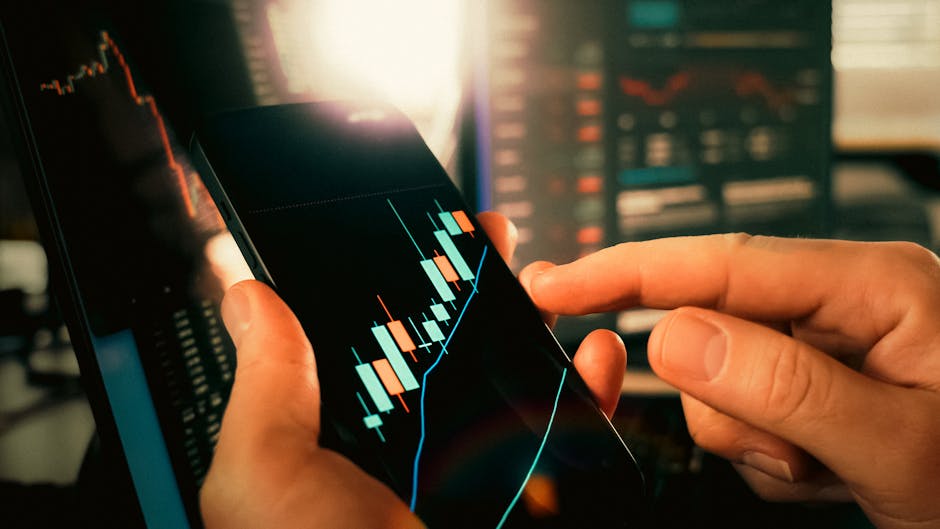
Screen size matters more than many new traders realize. A larger phone screen makes it significantly easier to read candlestick charts and spot price patterns accurately. If you are using a smaller device, zoom into the chart section you need rather than trying to interpret a compressed view. Some traders connect their phone to a small portable Bluetooth keyboard when they need to enter detailed notes or set complex orders.
Also make sure your internet connection is stable. Mobile trading over a weak or intermittent signal can result in delayed order execution or disconnection at a critical moment. Where possible, use a strong Wi-Fi connection or a reliable mobile data plan with good coverage in the areas where you trade most often.
Reading Charts and Placing Orders on a Small Screen
One of the genuine challenges of mobile trading is working with charts on a smaller display. The key is to keep your analysis simple and focused. Rather than loading five or six indicators onto a single chart, choose one or two that you understand well — such as a moving average and the Relative Strength Index (RSI). A clean chart is far easier to read on a phone than a cluttered one.
Most mobile trading apps allow you to switch timeframes quickly by tapping on the chart. Practice moving between a higher timeframe — such as the four-hour or daily chart — for overall trend direction, and a lower timeframe — such as the fifteen-minute chart — for entry timing. This multi-timeframe approach works just as well on mobile as it does on a desktop.
When placing orders, always double-check the lot size, the stop-loss level, and the take-profit level before confirming. On a touchscreen, it is easy to tap the wrong field or accidentally enter an incorrect value. Taking an extra five seconds to review your order details can prevent a simple mistake from becoming an expensive one.
Managing Risk When Trading on the Go
Risk management is important in any trading environment, but it becomes even more critical on mobile. When you are away from a full workstation, your ability to monitor open trades in detail is limited. This makes pre-set stop-loss and take-profit orders essential — not optional. Always define your risk before entering a trade so that the market can manage your position even if you are briefly unavailable.
A commonly referenced guideline is to risk no more than one to two percent of your trading account on any single trade. This means that even a run of losing trades will not wipe out your account. Combined with a reasonable take-profit target, this approach helps protect your capital over time. No rule or strategy guarantees profits, but disciplined risk management consistently helps traders stay in the game longer.
Be particularly cautious about trading during high-impact news events when you are on your phone. Economic releases such as Non-Farm Payrolls or central bank interest rate decisions can cause rapid, volatile price movements. If you cannot monitor the market closely during these moments, it is often better to stay out of new positions until the initial volatility passes.
Building Good Habits as a Mobile Trader
Successful mobile trading is as much about habits as it is about technical skills. One of the most important habits is keeping a simple trading journal. After each trade, note the currency pair, the direction, your entry and exit prices, and a brief reason for taking the trade. Many traders use a notes app on the same phone for this purpose. Reviewing these records regularly helps you identify patterns in both your winning and losing decisions.
Another strong habit is limiting the number of trades you take each day. The ease and accessibility of mobile trading can tempt traders to enter positions too frequently, a problem often called overtrading. More trades do not automatically mean more profit — quality of analysis matters far more than quantity of positions. Set a personal daily limit and stick to it.
Finally, separate your trading time from your leisure time. Because your phone is always with you, the temptation to check charts constantly can become stressful. Decide in advance when you will review the market, and resist the urge to make reactive decisions outside of those windows. Structure and routine protect both your trading performance and your mental wellbeing.
Start Practicing Mobile Trading With a Free Demo Account
Mobile forex trading offers genuine flexibility and freedom, but it rewards traders who approach it with preparation and discipline. By choosing a quality app, keeping your charts clean, managing your risk carefully, and building consistent habits, you can trade effectively from your phone without sacrificing the standards that protect your capital.
The best way to develop these skills is through practice in a risk-free environment. Open a free demo account at ZenithFX.com today and start exploring mobile trading with virtual funds. You will get access to real market conditions, live price data, and a fully functional mobile platform — with no financial risk while you learn. Build your confidence on demo before moving to live trading, and give yourself the strongest possible foundation for the journey ahead.
🎓 Free Forex Education at ZenithFX
Access our full learning center — forex basics, advanced strategies, video tutorials, and live webinars. All completely free.
Leave a comment